> For the complete documentation index, see [llms.txt](https://docs.ninjutsugames.com/llms.txt). Markdown versions of documentation pages are available by appending `.md` to page URLs; this page is available as [Markdown](https://docs.ninjutsugames.com/game-creator-2/loot-locker/replenish-system.md).
# Replenish System
Create time-based system. Use the server's time to make sure players can't cheat by changing the time on their device
## Initialization
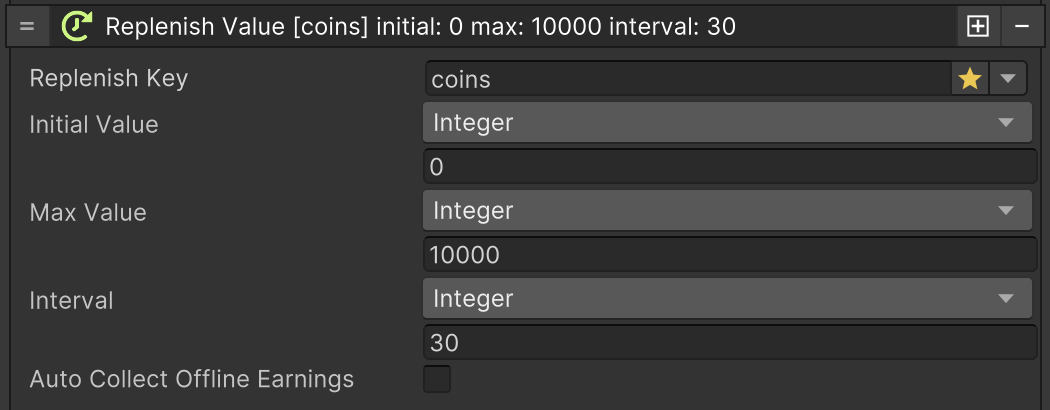
To use this system simply call the **Initialize Replenish Value** instruction.
#### Replenish Key
A key needed to store the value in Player's storage
#### Initial Value
The initial value that will have the Player's storage value
#### Max Value
The maximum value the player can earn with the system
#### Interval
How often this value will be incremented by 1.
#### Auto Collect Offline Earnings
If enabled offline earnings will be auto collected, otherwise an event will be triggered that can be used to do it manually
## Offline Earnings
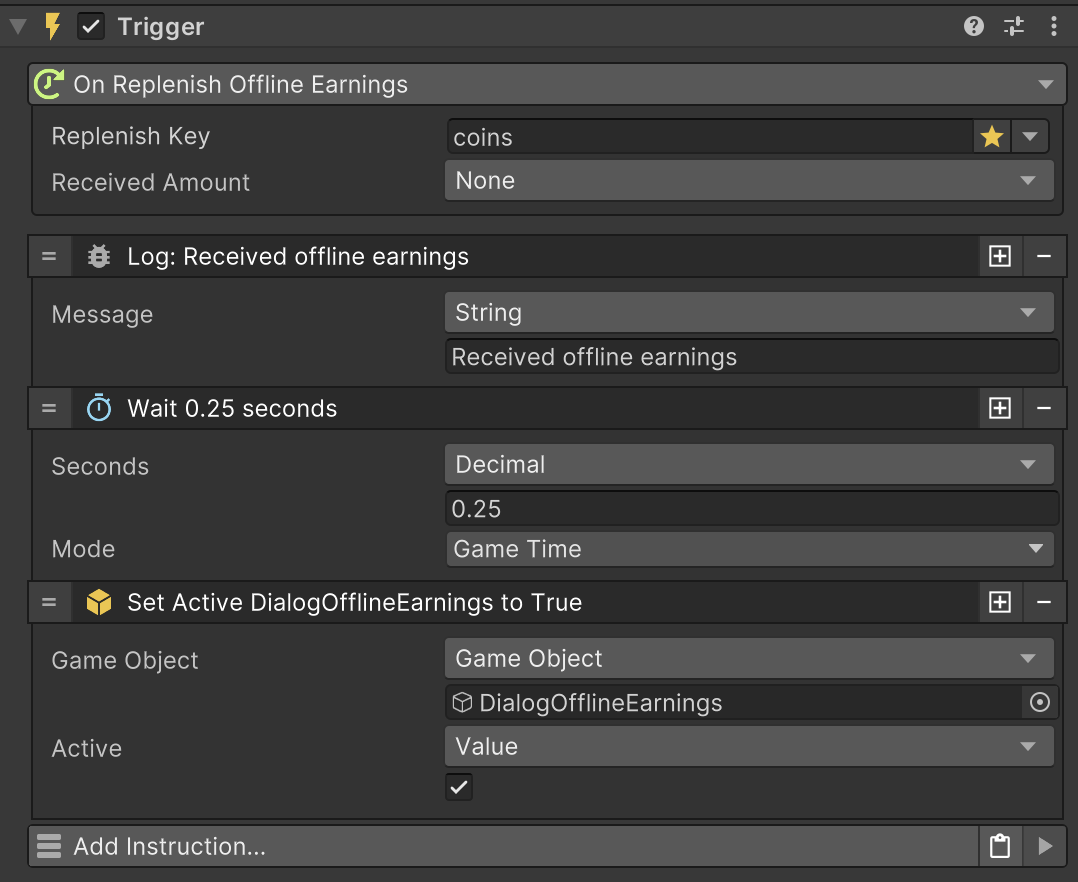
Offline earnings can be received manually by using a trigger.
Once this trigger is execute the instruction **Collect Offline Earnings** can be used
{% hint style="info" %}
To see this in action you can play the demo scene **9\_ReplenishSystem**
{% endhint %}